PEZ Army

This is worth sharing! Tony has gathered a lot of experience in generating customized PEZ dispensers. It all started with a single dispenser for his own use and he ended up producing 92 PEZ heads till this day. A chronology in pictures.

More information on his photostream.

Creative Commons License
Images are licensed under a Creative Commons Attribution-ShareAlike 3.0 Unported License.

Press Release – ReconstructMe Automatica 2012

This is a press release in German language.

Vom Kinderzimmer in die Produktion: ReconstructMe modelliert in Echtzeit

MÜNCHEN / STEYR. „Next Level“ – Fabrikshalle: Wenn die Softwareingenieure von PROFACTOR die Kamera „Kinect“ der Microsoft Spielkonsole Xbox 360 in die Hand nehmen, haben sie keinen neuen Punkterekord im Auge. Das „Spiel“ beim österreichischen Forschungsunternehmen heißt ReconstructMe und zielt auf Anwendungen in der Industrie ab: „Augen“ für den Roboter und das blitzschnelle Erstellen von CAD-Modellen oder Arbeitsumgebungen werden damit Realität.

Die Kamera „Kinect“ der Spielkonsole Xbox 360 ist in der Lage, Bewegungen von Spielern vor dem Fernseher zu detektieren. PROFACTOR nutzt das System zur 3D-Objekterkennung.

Dazu wurde von PROFACTOR Software-Ingenieuren ein neuer Algorithmus implementiert. Er ermöglicht den Einsatz der Kamera als Scanner. Dieser beschränkt sich nicht auf die Aufnahme von Bildern, sondern erkennt Objekte – und das in Echtzeit. Möglich ist das durch die Verknüpfung der von der Kamera aufgenommenen Bilder mit dem Bewegungspfad der Kamera.

Das exakte Modell eines beliebigen Gegenstandes oder einer Arbeitsumgebung erfolgt in Sekundenschnelle. Derzeit lotet PROFACTOR aus, wie das System in der industriellen Praxis eingesetzt werden kann.

ReconstructMe – Einsatzmöglichkeiten

  • Assistenzrobotik: Roboter, die mit dem Menschen auf engem Raum kooperieren, benötigen alleine aus Gründen der Sicherheit einen „Sehsinn“, um Bewegungen in Echtzeit planen zu können und Kollisionen zu vermeiden.
  • CAD-Modellierung: Auch die Rekonstruktion von Werkstücken, von denen kein CAD-Modell vorliegt, ist möglich. ReconstructMe kann diese Daten schnell und einfach erheben.
  • Vermessen von Werkstücken vor der Bearbeitung im Produktionsprozess.
  • Griff in die Kiste: ReconstructMe könnte auch den von PROFACTOR entwickelten iRobFeeder beim Detektieren und Handling unsortiert dargebotener Werkstücke unterstützten.
  • Ambient Assisted Living: Beim Projekt zur Entwicklung eines „intelligenten Rollstuhls“ (RHADAR) bietet sich ReconstructMe als Navigationshilfe durch die Wohnung an.

PROFACTOR auf der Automatica in München: Halle B2 Stand 229

Isabelle Body Scan

Mark posted a full body scan of Isabelle yesterday. Here’s the turntable animation video

I asked him for a statement on the required post-processing. Here is his full answer quoted.

[...] I’m impressed with the perfomance of ReconstructMe! Can’t stop scanning.

[...] After a few scans I found myself moving away from stiff “standard poses”, to more inspired ones, like a photographer would do. Its so much fun, scanning in 3D!

[...] Some post-proces info: I’ve applied smoothing here and there in Zbrush in addidition to Standardbrush adding – substracting to enhance the wrinkels in the clothing. Then scan was made with the “human” config settings, The face comes from a different scan.

More on his blog.

Here are two more turntable animations of Isabelle

and Mark

ReconstructMe 0.4.0-370 released

As you may have noticed we are currently re-designing our homepage and preparing everything to get ready for the first commercial version.

To bridge the time gap, here’s our brand new version of ReconstructMe featuring

  • Added multiple volume scanning and stitching feature.
  • Added a fast .ply file exporter.
  • Added interactive 3d mesh preview when pausing a scan.
  • Fixed Microsoft Kinect for Windows projector turn-off when closing the application.
  • Fixed selecting a specific sensor by id.
  • Added a new polygonization algorithm to speed up mesh preview and saving.
  • Renamed --realtime to --scan.
  • Updated color theme of ReconstructMe.

Get it from the downloads page and consult the usage manual for help on multiple volume scanning. Note, that you might need to update your configuration files.

Happy Reconstructing!

Master’s Thesis on ReconstructMe

Nikolas Früh dropped us a note that he finished his Master’s thesis. His thesis is all about measuring the building progress and incorporating that data into various processes. It is written in German language an contains around 15 pages dealing with ReconstructMe. ReconstructMe is compared to competitors in terms of usage and accuracy. Nikolas was so kind to allow us to publicly link his thesis for interested users. You can find it on the references page.

Long Night of Research

The long night of research (in German “Lange Nacht der Forschung”) on Friday last week was a great success for PROFACTOR and ReconstructMe. We had around 300 people visiting and exploring our robotics, nano-tech and chemistry labs.

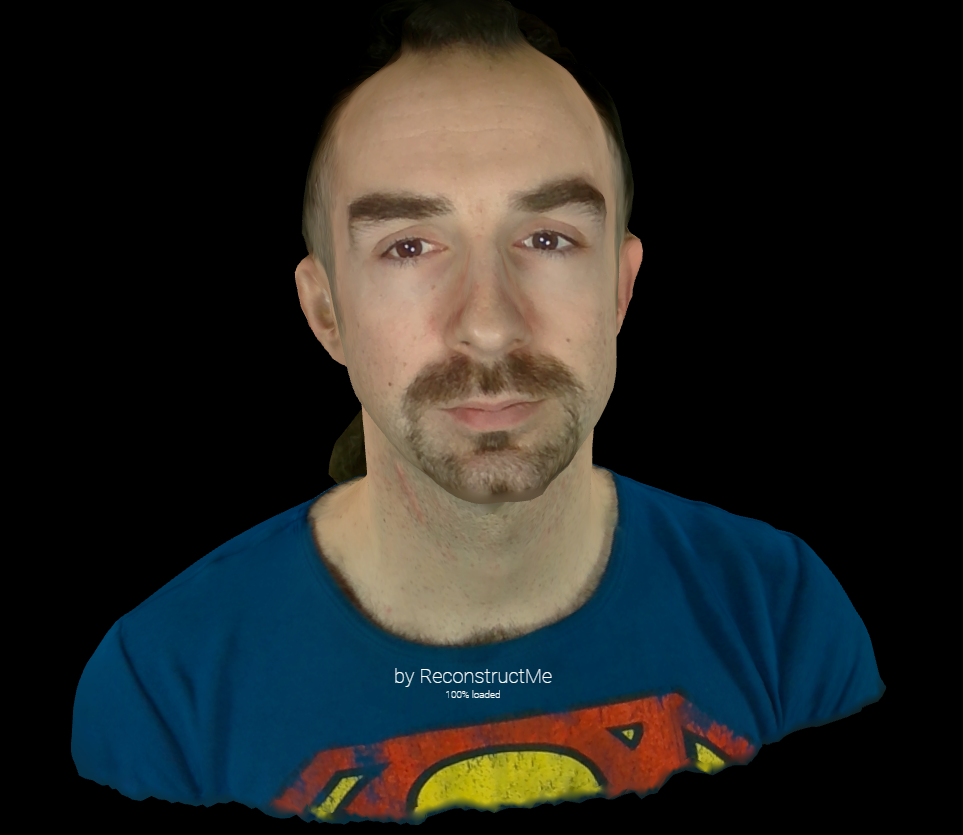
At the ReconstructMe booth we had a lot of fun reconstructing our visitors and enjoyed the in-depth discussions with potential users and developers. What really surprised us was how quickly people learnt to use this new technology to scan their family members.

We used the swivel armchair setup to speed up the reconstruction process and provided each visitor a personalized 3DPDF containing an embedding of their reconstruction. Here are two such samples: one, two (Acrobot Reader required to view the embedding)

Here’s a video made at the event

Pictures by CityFoto.

ReconstructMe – Reconstruct Your World

We’ve done another quick video today, showing some of the advances of ReconstructMe in the past month.

This videos shows how easily it is to model your environment in 3D with ReconstructMe. First we let a friend spin on a swivel armchair while moving the sensor around to change viewpoints. Then we model our office within seconds using ReconstructMe.

The left side shows how the reconstruction grows from a fixed perspective as the camera is moved. The right view shows the reconstruction from the current camera perspective. When entering the pause mode ReconstructMe instantly switches to an interactive 3D preview of the result.